NOL Card Balance Transfer – Move Balance to Another NOL Card
A NOL card balance transfer allows you to move the refundable value from an eligible lost, damaged, faulty, expired, or cancelled card to another registered or personalized NOL card. The transfer is completed through the official RTA balance refund service rather than a standard payment between two cards.
Transferring the approved balance to another eligible NOL card is generally free. RTA normally reviews the application within four working days, after which you must activate the transferred amount on the receiving card.
Can You Transfer NOL Card Balance to Another Card?
Yes, RTA allows customers to transfer an eligible refundable balance to an alternative registered or personalized NOL card. You must select NOL balance transfer as the refund method when submitting the application through an approved RTA channel.
The service is particularly useful when:
- Your NOL card has expired
- Your registered card is lost or stolen
- The physical card is damaged
- The card has developed a technical fault
- You want to cancel an eligible card
- You are replacing an old card with a new registered card
- You want to recover unused travel credit
RTA’s official refund service covers remaining and non-activated balances on eligible lost, stolen, damaged, faulty, expired, or cancelled cards.
Before starting, use the NOL Card Balance Check service to confirm how much credit is available on the old or receiving card.
NOL Balance Transfer, Recharge and Refund Compared
A balance transfer, card recharge, and cash refund are different services. Choosing the correct option helps you avoid delays or unnecessary refund charges.
| Service | What It Does | Best Used For |
|---|---|---|
| NOL balance transfer | Moves an approved refundable balance to another eligible NOL card | Replacing an expired, lost, damaged, faulty, or cancelled card |
| NOL card recharge | Adds new money using a bank card, cash, Apple Pay, or another payment method | Adding credit to your card or another person’s card |
| Cash refund | Returns an eligible remaining balance outside the NOL card | Users who no longer need a NOL card |
| Card replacement | Issues a replacement for an eligible personalized card | Retaining concession benefits or customer registration |
Recharging another person’s NOL card does not withdraw money from your own card. It creates a new top-up charged to your selected payment method.
When Can You Request a NOL Card Balance Transfer?
You can normally request a NOL card balance transfer when your existing card cannot be used or you no longer want to keep it. The reason must be selected during the official refund application.
Common situations include:
- Lost NOL card
- Stolen NOL card
- Damaged or cracked card
- Faulty or unreadable card
- Expired NOL card
- Card cancellation
- Replacement with a new registered card
Your eligibility depends on the card type, registration status, available refundable balance, and reason for submitting the request.
Anonymous cards have limited balance protection because they are not connected to a verified customer profile. Registering a Silver or Gold card provides stronger protection if it is later lost or damaged.
How to Transfer NOL Card Balance Online
The official online process allows you to request a balance refund and select another eligible NOL card as the refund method.
You can access the official RTA NOL balance refund service and follow these steps:
- Log in using UAE Pass or your RTA account.
- Open the refund section on the dashboard.
- Select Refund Type.
- Choose Refund NOL Card Balance.
- Enter the original card’s NOL Tag ID.
- Select the reason for requesting the refund.
- Choose NOL Balance Transfer as the refund method.
- Enter the required PIN or verification details.
- Add the receiving NOL card information.
- Review the entered card details carefully.
- Confirm and submit the application.
- Save the application or transaction reference.
- Wait for the approval SMS from RTA.
RTA creates a card-blocking request after the refund application is submitted. The refund is normally approved within four working days, subject to successful verification.
How to Transfer NOL Balance Through NOL Pay
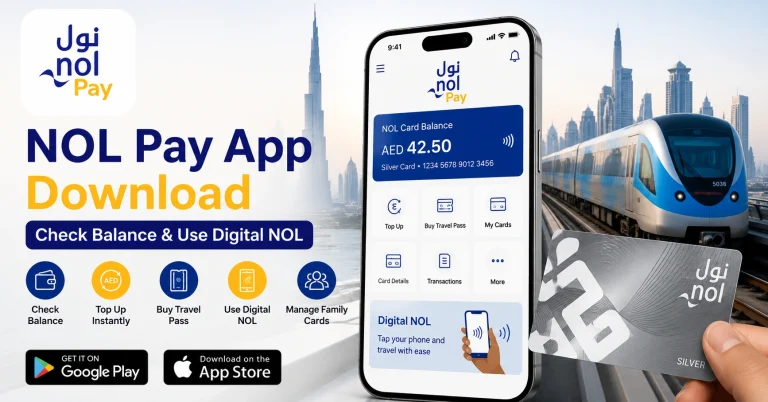
The official NOL Pay app can be used to manage NOL cards, scan supported physical cards through NFC, check card information, register anonymous cards, and access available NOL services.
Visit the official NOL Pay information page or install the application from:
Both app listings identify NOL Pay as an official application from Dubai’s Roads and Transport Authority.
Steps Using NOL Pay
- Install or update the NOL Pay app.
- Open the app and sign in.
- Enable NFC if you are using a compatible physical card.
- Open the available card services.
- Select the balance refund service.
- Scan the original NOL card or enter its Tag ID.
- Choose the correct refund reason.
- Select transfer to another NOL card.
- Scan or enter the receiving card details.
- Review both cards before submitting.
- Save the confirmation reference.
- Wait for RTA’s approval SMS.
- Activate the balance on the receiving card.
The exact menu labels may change when RTA updates the application. Look for the refund or card-management section if the balance transfer option is not immediately visible.
NOL Card Balance Transfer Requirements
Prepare the original and receiving card details before opening the application.
You may need:
- The original NOL card or its Tag ID
- An active registered or personalized receiving card
- The receiving card’s Tag ID
- Emirates ID or other requested identification
- Registered mobile number
- UAE Pass or RTA account
- NOL card PIN where applicable
- NFC-enabled smartphone for card scanning
- Stable internet connection
The original card does not always need to be physically available, particularly when it has been lost or stolen. However, you must provide enough details for RTA to identify the card and verify ownership.
Which NOL Cards Can Receive Transferred Balance?
The receiving card should be registered or personalized. It must also be active and able to accept the transferred value without exceeding the permitted balance limit.
| NOL Card Type | Balance Transfer Eligibility |
|---|---|
| Registered Silver Card | Generally eligible as a receiving card |
| Registered Gold Card | Generally eligible as a receiving card |
| Personal or Blue NOL Card | Generally eligible |
| Student NOL Card | Subject to personal-card conditions |
| Senior Citizen Card | Subject to concession and personal-card conditions |
| People of Determination Card | Subject to concession and personal-card conditions |
| Anonymous Silver or Gold Card | Limited balance recovery eligibility |
| Red Ticket | Not eligible for standard balance recovery transfer |
| Bank-issued NOL card | May require assistance from the issuing bank |
| Expired or blocked receiving card | Not suitable until the status is resolved |
RTA specifically describes the receiving card as an alternative registered or personalized NOL card.
NOL Card Balance Transfer Fees
Transferring the refundable amount to another eligible NOL card is generally free. A fee applies when you request a cash refund instead.
| Refund Method | Applicable Cost |
|---|---|
| Transfer to eligible NOL card | Free |
| Cash refund | 2.5% or AED 5, whichever is higher |
Choosing a card transfer is usually more economical when you continue using Dubai Metro, buses, trams, marine transport, parking, or approved NOL payment outlets.
NOL Balance Transfer Processing Time
RTA normally processes an eligible NOL card balance transfer within four working days. Working days are different from calendar days, so weekends and UAE public holidays can extend the total waiting period.
| Transfer Stage | Expected Time |
|---|---|
| Application review | Around four working days |
| Approval notification | Sent by SMS |
| Balance ready for activation | Commonly 45 minutes to four hours after approval |
| Activation deadline | Within 180 days of approval |
| Lost-card blocking | May take up to 48 hours |
Incomplete card information, ownership verification, incorrect Tag IDs, weekends, and public holidays may cause additional delays.
How to Activate Transferred NOL Balance
Receiving an approval SMS does not always mean the amount has already been written to the physical card. The approved value may remain pending until the receiving card communicates with an online-connected RTA reader.
After receiving the approval message, activate the transferred amount using:
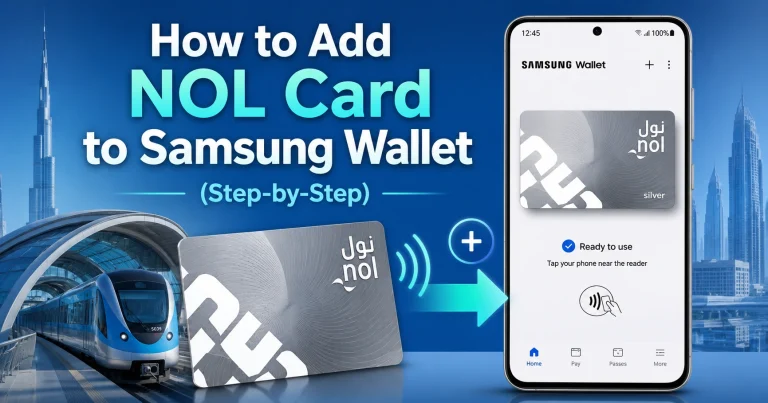
- NOL Pay on a compatible NFC phone
- A Dubai Metro gate
- An eligible parking meter
- A solar-powered NOL top-up machine
- Another supported RTA online device
RTA advises customers who choose a NOL balance transfer to use an online device, such as a parking meter, solar-powered machine, or Metro gate, to obtain the transferred refund.
Allow approximately 45 minutes to four hours after receiving approval before attempting activation. Complete the activation within 180 days to avoid losing access to the approved transaction.
Can You Transfer Balance Between Two Active NOL Cards?
Many users search for an instant method to send stored travel credit from one active NOL card to another. Older guides describe an NFC-based “NOL-to-NOL Transfer” feature that involved scanning the sender’s card and then the recipient’s card.
However, the currently documented official process focuses on transferring an eligible refunded balance to an alternative registered or personalized card. RTA’s current NOL Pay feature list promotes balance checking, top-ups, travel passes, card registration, and card management, but it does not clearly advertise unrestricted sharing of stored value between any two active physical cards.
When no direct transfer option appears in your current app, use one of these alternatives:
- Top up the other person’s NOL card
- Continue using the existing balance on the original active card
- Apply for a refund transfer when replacing or cancelling an eligible card
- Contact RTA to confirm whether your cards support direct NOL-to-NOL transfer
Avoid relying on old screenshots or instructions from discontinued versions of RTA applications.
Can You Transfer NOL Balance Without NFC?
NFC is helpful but is not always required to submit a balance transfer application. You can enter the NOL Tag ID manually through the official RTA online refund service when your phone cannot scan the card.
You may still need to activate the approved amount using a connected device, such as:
- Dubai Metro gate
- Parking meter
- Solar-powered top-up machine
- NFC-enabled phone running NOL Pay
Ticket vending machines should not automatically be assumed to support direct card-to-card transfers. Use only the options displayed on the machine or confirmed by RTA.
How to Top Up Someone Else’s NOL Card
You do not need to transfer your existing stored balance to add money to another person’s NOL card. Instead, recharge their card using the correct Tag ID.
Steps to Recharge Another Card
- Ask the cardholder for the correct NOL Tag ID.
- Open an approved NOL recharge channel.
- Enter or scan the recipient’s card.
- Select the required recharge amount.
- Pay using the available payment method.
- Save the payment confirmation.
- Ask the recipient to activate the pending top-up if required.
The official NOL Pay app supports card top-ups and card-information checks through NFC on compatible devices.
A recharge is different from a NOL card balance transfer. The money is taken from your bank card, digital wallet, cash, or another payment method rather than from your existing NOL balance.
Transfer Balance From an Expired NOL Card
Do not discard an expired NOL card while it still contains money. You may be able to transfer its eligible remaining balance to an active registered or personalized card.
You will generally need:
- Expired card or its Tag ID
- New registered or personalized NOL card
- Card PIN where applicable
- Identification details
- Registered mobile number
Submit the application promptly because expired-card refunds may be subject to a claim deadline. Keep the old card until the balance transfer and activation have been completed.
Recover Balance From a Lost or Stolen NOL Card
Report a registered lost or stolen NOL card immediately. Unauthorized fares or purchases may continue until the card has been blocked.
Steps to Protect Your Balance
- Report the card through an official RTA channel.
- Request that the card be blocked.
- Start the balance refund application.
- Select NOL balance transfer as the refund method.
- Enter an eligible receiving card.
- Submit the required identification details.
- Save the application reference.
- Wait for the approval SMS.
- Activate the amount on the receiving card.
RTA’s guidance states that submitting a refund request creates a blacklist record for eligible lost, damaged, faulty, or expired cards.
Blocking a lost card may take up to 48 hours. Reporting it quickly reduces the risk of someone using the remaining balance before the block becomes active.
Transfer Balance From a Damaged or Faulty Card
A damaged card may still contain a recoverable balance. Do not cut, bend, punch holes in, or throw away the card before completing the application.
Try reading the card through NOL Pay or another approved reader. If it cannot be detected, enter its Tag ID manually where permitted and select damaged or faulty card as the reason.
Keep the physical card because RTA may request it for verification, inspection, or replacement processing.
NOL Card Maximum Balance Limits
The receiving card must have enough available capacity for the transferred amount. A transfer may fail if it would push the card beyond its permitted stored-balance limit.
| Card Status | Maximum Stored Balance |
|---|---|
| Anonymous NOL card | AED 1,000 |
| Registered or personalized NOL card | AED 5,000 |
These figures are maximum card balances, not confirmed per-transaction transfer limits. Do not assume that unofficial claims about AED 5 minimum transfers, AED 500 transaction limits, or AED 1,000 daily limits apply to the current official refund-transfer service.
Common NOL Card Balance Transfer Problems
The Receiving Card Is Rejected
The card may be anonymous, expired, blocked, suspended, or unable to accept additional value. Use an active registered or personalized card with enough available balance capacity.
The Original Card Cannot Be Scanned
Remove thick or metal phone cases and move the card slowly around the back of the phone. NFC reader placement varies between smartphone models.
Keep other contactless cards away from the phone. Scanning multiple cards together may prevent the correct card from being detected.
The Transfer Option Is Missing
Check the balance refund section rather than the standard card recharge menu. Update NOL Pay to the latest available version and sign in again.
A missing direct NOL-to-NOL button may indicate that older instant-transfer instructions no longer apply. Use the official refund-transfer service when your card meets the eligibility conditions.
The Transferred Balance Has Not Appeared
Wait approximately 45 minutes to four hours after receiving approval. Then tap the receiving card using NOL Pay, a Metro gate, a parking meter, or a solar-powered top-up machine.
Bus validators cannot activate every pending online transaction. RTA specifically states that pending top-ups requiring activation must be activated before the passenger uses the card on a bus.
The Request Is Still Pending
Allow four working days for normal processing. Weekends, public holidays, incomplete information, ownership checks, and an incorrect Tag ID may extend the review.
Contact RTA when the expected processing period has passed and keep your application reference available.
Incorrect Receiving Card Details Were Submitted
Contact RTA immediately. Avoid submitting several duplicate applications for the same original card unless an RTA representative instructs you to do so.
Important Rules Before Transferring NOL Balance
Complete these checks before submitting your application:
- Confirm the receiving card is registered or personalized
- Verify both NOL Tag IDs
- Make sure the receiving card is active
- Check its available balance capacity
- Report lost or stolen cards immediately
- Keep damaged or expired cards until completion
- Save the transaction reference and approval SMS
- Activate the transferred value within 180 days
- Keep other contactless cards away during NFC scanning
- Never share your UAE Pass password or one-time verification code
The minimum balance needed for travel is separate from the balance transfer rules. Keep at least AED 7.50 available before checking in for a journey where the minimum entry balance applies.
Should You Transfer the Balance or Request Cash?
A NOL card balance transfer is usually the better choice when you plan to continue using Dubai public transport. It keeps the refundable value available for travel and avoids the normal cash-refund deduction.
| Choose NOL Balance Transfer When | Choose a Cash Refund When |
|---|---|
| You have another registered NOL card | You no longer require a NOL card |
| You regularly use Dubai public transport | You are leaving Dubai permanently |
| You want to avoid the cash-refund fee | You do not have an eligible receiving card |
| You can activate the value within 180 days | You prefer to receive the remaining amount outside the card |
Review the refund methods displayed during the official application before submitting your final selection.
Contact RTA for Balance Transfer Assistance
Contact RTA when:
- The application remains pending beyond four working days
- The receiving card is rejected without an explanation
- A lost or stolen card has not been blocked
- The approved balance cannot be activated
- You entered incorrect card information
- Your NOL card was issued through a bank
- You cannot find the appropriate refund service
You can call 800 90 90 or email [email protected]. Keep the card Tag IDs, registered mobile number, identification details, and application reference ready.
Frequently Asked Questions
Can I Transfer My NOL Card Balance to Another Card?
Yes, an eligible NOL card balance transfer can be completed through RTA’s balance refund service. Select NOL balance transfer as the refund method and enter an active registered or personalized receiving card. The service mainly covers remaining balances on lost, stolen, damaged, faulty, expired, or cancelled cards.
Is NOL Card Balance Transfer Free?
A NOL card balance transfer to an eligible registered or personalized card is generally free. A fee usually applies when you choose a cash refund instead. The cash refund deduction is normally 2.5% of the refundable amount or AED 5, whichever is higher, subject to current RTA conditions.
How Long Does a NOL Card Balance Transfer Take?
A NOL card balance transfer normally takes around four working days for approval. After receiving the SMS, allow approximately 45 minutes to four hours for the amount to become available. You must then activate it through NOL Pay, a Metro gate, parking meter, or supported solar machine.
Can I Transfer Balance From an Expired NOL Card?
You can request a NOL card balance transfer from an eligible expired card to an active registered or personalized NOL card. Apply promptly because expired-card refund requests may have a submission deadline. Keep the expired card, Tag ID, and application reference until the transferred balance is successfully activated.
Can an Anonymous Card Receive a Transferred Balance?
An anonymous card may not qualify as the receiving card for an official NOL card balance transfer. RTA describes the alternative receiving card as registered or personalized. Using a registered Silver, Gold, or personal NOL card also provides better protection if the receiving card is later lost or damaged.
Can I Transfer NOL Balance Without NFC?
Yes, you can submit a NOL card balance transfer without NFC by manually entering the card Tag ID through RTA’s online refund service. NFC is mainly useful for scanning and activating supported cards. You can activate an approved amount through a Metro gate, parking meter, or solar-powered machine.
Why Has My Transferred NOL Balance Not Appeared?
An approved NOL card balance transfer may remain pending until it is written to the receiving card. Wait approximately 45 minutes to four hours, then tap the card through NOL Pay, a Metro gate, parking meter, or solar top-up machine. Contact RTA if the activation still fails.
Can I Transfer NOL Card Balance to a Friend?
The official refund-based NOL card balance transfer requires an eligible receiving card that satisfies RTA’s registration and verification conditions. To simply help a friend, recharge their card using its NOL Tag ID. The recharge uses your selected payment method rather than deducting credit from your own NOL card.