How to Renew Nol Card and Travel Passes in Dubai
Renewing your Nol card and travel passes on time is the only way to keep using Dubai’s public transport without breaks. The Roads and Transport Authority (RTA) lets you renew Nol cards and travel passes through four official channels, all of them quick and free of paperwork. The fastest method takes about two minutes from start to finish.
This guide explains the difference between renewing a Nol card and renewing a travel pass, the four official renewal methods, the prices for the 30 day, 90 day, and 365 day passes in 2026, the timing rules, and how to handle common problems. The same steps work for the Silver Nol card, Gold Nol card, and Personalised Blue Nol card, with extra notes for student and senior concession cards.
Whether you commute every day from Karama to Business Bay, take the Dubai Tram from Al Sufouh to Jumeirah Beach Residence, or use the Metro Red Line for weekend trips to Mall of the Emirates and Burj Khalifa Dubai Mall, this guide covers every renewal scenario.
How to Renew Nol Card and Travel Passes
Open the Nol Pay app, sign in with UAE Pass, select your registered Nol card, tap Renew Travel Pass, choose the duration (7, 30, 90, or 365 days) and the zone count, pay with your bank card, then tap your card on a Metro gate to activate. The same renewal also works on the RTA website at rta.ae and at any Ticket Vending Machine inside a Dubai Metro station. Renewal usually completes within 45 minutes to 4 hours.
You can go to the Nol Card Balance Check to know your expiry date.
Card Renewal vs Travel Pass Renewal
Most confusion around Nol renewal comes from mixing two separate things. Knowing the difference saves time and money.
Nol Card Renewal
This refers to extending the validity of the physical card itself. Silver, Gold, and Blue Personalised Nol cards are valid for 5 years from the date of issue. Once the card expires, it cannot be used at any gate or reader. Renewing the card means issuing a new card and transferring the balance and any active pass to it. RTA can process this through the Nol Pay app for Personalised cards or in person at a customer service centre for any card type.
Travel Pass Renewal
This refers to extending or buying a new travel pass that loads on top of your active Nol card. Travel passes are time based products such as the 7 day pass, the 30 day monthly pass, the 90 day quarterly pass, and the 365 day annual pass. They sit on the card chip and let you ride unlimited within selected zones. Travel pass renewal is fast and fully online for registered card holders.
If your physical card is still valid but the pass has expired, you only need to renew the pass. If both expire around the same time, renew the card first then load a fresh pass.
Nol Travel Pass Prices 2026
RTA travel passes come in four duration options for registered Silver and Blue Nol cards. Anonymous Silver cards can only buy the 7 day pass.
| Pass Duration | 1 Zone (AED) | 2 Zone (AED) | All Zones (AED) |
| 7 Day Pass | N/A | N/A | 110 |
| 30 Day Pass (Silver) | 140 | 230 | 350 |
| 90 Day Pass (Silver) | 400 | 650 | 950 |
| 365 Day Pass (Silver) | 1500 | 2400 | 3500 |
Gold Nol Card pass prices are double the Silver rate because Gold gives access to the Gold Class cabin on the Dubai Metro. Concession passes for students, Emirati senior citizens, and people of determination are 50% of the Silver rate on a Personalised Blue card.
When You Can Renew Your Nol Card and Travel Pass
RTA gives you a renewal window to keep travel uninterrupted. The exact window depends on what you are renewing.
- Travel pass renewal: You can renew up to 5 days before the pass expires and up to 5 days after expiry. The new pass either queues for the next first tap or activates immediately if the old one has already ended.
- Personalised Nol card renewal: Available within 30 days before the 5 year card expiry date, and up to 60 days after expiry through the Nol Pay app. After 60 days, you may need to apply for a new card.
- Anonymous Silver or Gold card renewal: Cannot be renewed online because the card is not linked to your name. Visit a customer service centre with the card and your Emirates ID to convert and renew.
Pre loading the next pass while the current one is active is the most reliable way to avoid a paid ride during the gap. The system queues the new pass and starts it the first time you tap a Metro gate after the existing pass ends.
Four Official Methods to Renew Nol Card and Travel Passes
RTA provides four channels for renewal. All four cost the same and all four activate the renewed pass with a tap at any Metro gate. The table below compares them at a glance.
| Method | Speed | Best For | Need Card in Hand? |
| Nol Pay App | 2 to 3 minutes | Most users with NFC phones | Yes, for NFC write |
| RTA Website | 3 to 5 minutes | Desktop or non NFC phones | No |
| Ticket Vending Machine | Instant | Renewal at the station | Yes |
| Ticket Office | 5 to 10 minutes | Help and complex cases | Yes |
Method 1: Renew Through the Nol Pay App
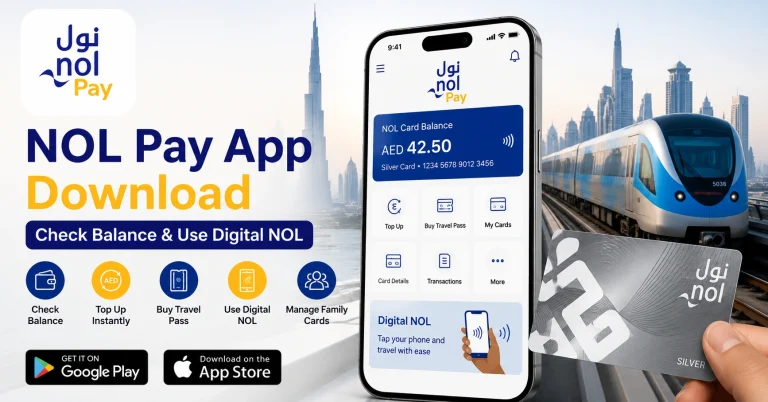
The Nol Pay app is the official RTA app for Nol services and the fastest way for most users. The app uses your phone’s NFC reader to write the renewed pass directly to the card chip, which means activation is almost instant on Samsung and Huawei phones.
Step by Step Guide for the Nol Pay App
- Download the Nol Pay app from the Apple App Store, Google Play, or Huawei AppGallery.
- Open the app and sign in with UAE Pass or your registered mobile number.
- Tap My Nol or Manage Cards on the home screen.
- Select the Nol card you want to renew.
- Tap Renew Travel Pass or Buy Product.
- Choose the duration: 7 day, 30 day, 90 day, or 365 day pass.
- Pick the zone count: 1 zone, 2 zone, or All Zones.
- Confirm the price and pay with your bank card, Apple Pay, Google Pay, or Samsung Pay.
- Place your physical Nol card on the back of your phone for the NFC write step.
- Wait for the success message, then tap any Metro gate to activate.
If your card is digitised inside Samsung Wallet or Huawei Wallet, the NFC step is skipped because the pass writes directly to the digital card. iPhone users can complete the purchase but need to tap a physical card on a TVM or gate to write the pass.
Method 2: Renew on the RTA Website
The RTA website at rta.ae works on any browser, so you can renew from a laptop, desktop, or any phone. You do not need an account for a basic travel pass renewal, just your 10 digit Nol Tag ID.
Step by Step Guide for the RTA Website
- Open your browser and go to www.rta.ae.
- Click Public Transport in the top menu, then Nol, then Explore Nol.
- Scroll to Renew Travel Pass and click it.
- Enter your 10 digit Nol Tag ID printed on the back of the card.
- Complete the captcha and click Next.
- Confirm card details and choose the pass duration and zone count.
- Pay using your debit card, credit card, or Apple Pay.
- Save the email confirmation.
- Wait 45 minutes to 4 hours for the system to sync.
- Tap the card at any Metro gate or RTA online parking meter to activate the pass.
Website renewal does not write to the card chip directly. The pass sits in the RTA central system and the card picks it up at the next gate tap. Plan ahead if you have a strict commute time.
Method 3: Renew at a Ticket Vending Machine
Ticket Vending Machines (TVMs) sit at every Dubai Metro station, RTA bus station, and Dubai Tram stop. They accept cash, debit cards, and credit cards, and the renewal is instant.
Step by Step Guide for a Ticket Vending Machine
- Visit a TVM at any Metro station such as Burjuman, Union, Al Rigga, Mall of the Emirates, or Burj Khalifa Dubai Mall.
- Touch the screen and choose English or Arabic.
- Place your Nol card in the reader pocket or tap it on the reader area.
- Choose Add Products, Travel Pass, or Renew Pass.
- Pick the pass duration (7, 30, 90, or 365 days).
- Select the zone coverage.
- Confirm the amount and pay with cash, debit card, or credit card.
- Take the receipt. The pass is loaded and ready immediately on the same machine.
TVMs are the safest option if you renew on the way to the station because the pass activates the moment payment clears. There is no sync delay.
Method 4: Renew at a Ticket Office
Manned ticket offices at major Dubai Metro stations are the right choice for complex situations such as expired Personalised cards, student card renewals with documentation, balance transfers, or when you want help picking the right zone count.
Step by Step Guide at a Ticket Office
- Visit a ticket office at any major Metro station.
- Hand the agent your Nol card and Emirates ID.
- Tell the agent what you want to renew: card, travel pass, or both.
- For students or seniors, present supporting documents such as the student enrolment letter or proof of age.
- Confirm the recommended pass and pay with cash or card.
- Collect your renewed card and the receipt.
- The agent activates the pass instantly. You can use the card right away.
Ticket office staff can also force activate a pass that was bought online but failed to sync, transfer balance from an expired card to a new one, and process refunds in technical error cases.
Renewing a Personalised Blue Nol Card
Personalised Blue Nol cards are linked to your Emirates ID and last 5 years. As the expiry date approaches, RTA sends a reminder through the Nol Pay app and by SMS. The renewal process is mostly automated through the app.
Step by Step Personalised Card Renewal
- Open the Nol Pay app and sign in with UAE Pass.
- Tap Manage Cards or My Nol.
- Open the expiring Personalised card.
- If the Renew button is available, tap it and pay the renewal fee.
- If the Renew button is not available, tap Submit New Personal Card Request.
- Confirm your delivery address.
- RTA processes the new card and delivers it within 4 working days.
- Activate the new card with a tap at any Metro gate. Your existing balance and active pass transfer automatically.
Keep the email confirmation and any screenshots until the new card is in your hand and the balance shows correctly. If anything looks off, contact RTA on 8009090.
Renewing a Student Nol Card
The Student Nol card is a Personalised Blue card with student status that gives 50% off all RTA fares. The card itself follows the standard 5 year cycle, but the student status needs separate yearly renewal because enrolment changes.
Documents Needed for Student Status Renewal
- A current enrolment letter from your UAE university, college, or school.
- A copy of your Emirates ID.
- A recent passport size photo if requested.
- Optional: ISIC card details for the new Student Nol Package benefits.
Submit the documents through the Nol Pay app or at any RTA customer service centre. Once approved, your Student Nol card keeps the 50% concession active for the new academic year. Without renewed status, the card reverts to the standard adult fare.
Why Some Renewals Take Up to 4 Hours to Activate
Online renewals through the RTA website and the Nol Pay app sit in RTA’s central system before they reach your card. The card chip only updates when it touches a gate, a TVM, a yellow reader, or an RTA online parking meter.
Most online renewals sync within 45 minutes. In rare cases, the sync takes up to 4 hours. TVM and ticket office renewals are instant because the pass is written directly to the chip on the spot.
If your renewal does not work after 4 hours, take the card to a ticket office. The agent can force a sync in seconds. You can also tap the card on a yellow Nol reader at any Metro station, which sometimes triggers the chip update.
Tips for Smooth Nol Renewal
- Renew before expiry: Use the 5 day pre expiry window to load the next pass while the current one is still active. The new pass queues automatically.
- Use UAE Pass: UAE Pass login removes the need to upload documents and speeds up Personalised card renewals.
- Check your zones first: Plan your typical journey on the RTA S’hail app to confirm the zone count before you pay. Switching from 2 zone to All Zones during a cycle is not free.
- Save email confirmations: RTA sometimes asks for the renewal reference number when troubleshooting. Keep the email and a screenshot.
- Keep e-purse balance: Even with an active pass, AED 20 of e-purse credit covers out of zone trips, parking taps, and retail purchases at Carrefour, Lulu, or ENOC.
- Set a renewal reminder: The Nol Pay app can send a low expiry alert when your pass has 3 days left.
Troubleshooting Common Renewal Issues
Renewal Payment Successful but Pass Not Active
- Wait the full 4 hour sync window before assuming a problem.
- Tap the card on a yellow Nol reader at any Metro station to trigger a chip update.
- Visit a ticket office for an instant force sync if the issue persists.
- Have the email confirmation ready to share with the agent.
Renew Button Missing on the Nol Pay App
- The card may be more than 60 days past expiry. Submit a New Personal Card Request instead.
- The card may be anonymous. Register it through UAE Pass first.
- Refresh the app or sign out and sign in again.
System Says Card Not Eligible for Selected Pass
- Anonymous Silver cards cannot buy 30, 90, or 365 day passes. Register the card first.
- Concession discounts require an approved student or senior status. Submit documents through the Nol Pay app.
Lost Card With an Active Pass
- If the card is Personalised, RTA can transfer the balance and remaining pass days to a replacement card. Visit a customer service centre with your Emirates ID.
- Anonymous cards cannot be replaced. The pass and balance are lost with the card.
Cannot Pay With My Card on the App
- Update the Nol Pay app to the latest version.
- Try a different bank card or use Apple Pay, Google Pay, or Samsung Pay.
- Check your card is enabled for online payments by your bank.
Frequently Asked Questions
How long does Nol card and travel pass renewal take?
The Nol Pay app and Ticket Vending Machine renewals complete in 2 to 3 minutes. RTA website renewals take a similar time to pay but can need up to 4 hours to sync to the card. Ticket office renewals take 5 to 10 minutes including any document checks.
Can I renew my Nol card before it expires?
Yes. Travel passes can be renewed up to 5 days before expiry, and Personalised Nol cards can be renewed up to 30 days before the 5 year card expiry. Pre renewing avoids any gap in service. The new pass queues until the current one ends and starts the first time you tap a gate.
What happens if my Nol card expires and I do not renew?
An expired card cannot be used at any Metro gate, RTA bus reader, or Tram validator. The system blocks entry until you renew the card. For Personalised cards, RTA gives a 60 day grace period for online renewal in the Nol Pay app. After 60 days, you may need to apply for a new card and request a balance transfer.
Can I renew my Nol card without an Emirates ID?
Standard travel pass renewals on registered cards do not need an Emirates ID at the moment of renewal because the card already holds your data. Personalised Blue card renewals and student or senior concession renewals require Emirates ID verification.
Is there a refund if I renew the wrong pass?
RTA does not offer refunds for travel pass renewals once payment clears and the pass is loaded. Always confirm the duration and zone count before paying. For technical errors or duplicate purchases, call RTA on 8009090 to request a review.
Can I transfer my balance to a new Nol card?
Yes for Personalised Blue cards linked to your Emirates ID. RTA transfers the e-purse balance and any active pass to the new card during renewal or replacement. Anonymous Silver, Gold, and Red cards cannot have their balance transferred.
Are renewal fees the same on all four methods?
Yes. The travel pass price is identical on the Nol Pay app, the RTA website, Ticket Vending Machines, and ticket offices. RTA does not add a fee for any of these channels. Third party top up channels like Abu Dhabi Commercial Bank charge AED 1 extra per top up but not for pass renewals.
Can anonymous Nol cards be renewed online?
Anonymous Silver and Gold cards cannot be renewed online and cannot buy 30, 90, or 365 day passes. They can buy the 7 day pass at any TVM or ticket office. Register the card through the Nol Pay app or visit a customer service centre to convert it to a Personalised card and unlock all options.
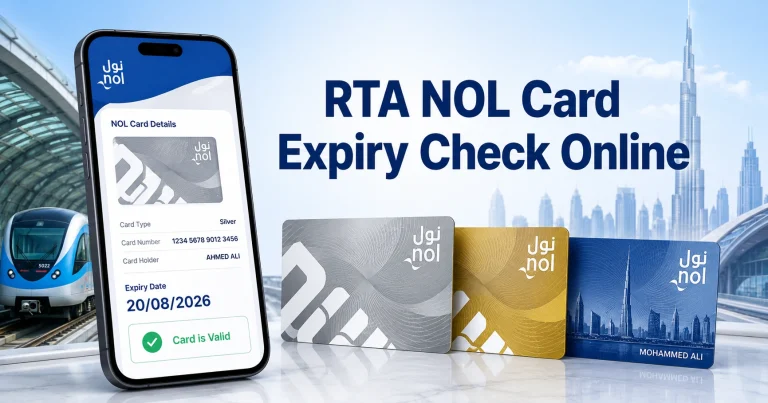
How do I check my Nol card expiry date?
Tap the card on any yellow Nol reader at a Metro station and the screen shows the expiry date. You can also check it through the Nol Pay app, the RTA Dubai app, the RTA website using your Nol Tag ID, or a Ticket Vending Machine.
Can I renew the pass during the activation gap?
Yes. Use the 5 day pre expiry window to load the next pass on the same card. The new pass stays inactive in the system and starts the first time you tap a Metro gate after the current pass ends. This avoids a paid ride during the gap.
Does the renewed pass keep my zone selection?
No. Each pass renewal lets you choose a new zone count. If your commute zones change, you can switch from 1 zone to 2 zone or 2 zone to All Zones at renewal. The new selection takes effect the moment the new pass activates.
Can I use the Nol card during the renewal window?
Yes. As long as the current card and pass are still valid, you can keep using the card normally. The renewed pass either queues for later or activates after the current one ends, depending on when you renew.
How much does a new Personalised Nol card cost?
A Personalised Blue Nol card costs AED 70, which includes the card fee. Once you have the card, all future travel pass renewals on the same card are charged at the standard pass price. There is no separate annual card fee.
Conclusion
Renewing your Nol card and travel passes in Dubai is one of the easiest RTA services. The Nol Pay app handles most renewals in under three minutes, the RTA website covers users without NFC phones, Ticket Vending Machines give instant activation at any Metro station, and ticket offices solve the rare complex cases. The 5 day pre expiry window and the queue feature for new passes mean you never need to face a gap in service.
Confirm your zone count, pick the right duration for your commute, register anonymous cards before trying for a 30 day or longer pass, and keep your e-purse topped up for out of zone trips. Whether you ride the Dubai Metro from Al Rigga to Business Bay every weekday, take the Dubai Tram for weekend trips around Dubai Marina, or hop on RTA buses across Karama and Bur Dubai, a renewed Nol card and active travel pass keep your journeys smooth and predictable.